
EPG Explained: How Electronic Program Guides Work
INTRODUCTION
Anyone who has used a cable box is familiar with the on-screen guide showing what’s currently airing and what’s coming up next. That same feature exists in IPTV, and it’s called an EPG. Without it, live TV streaming feels closer to a plain list of channel numbers with no context.
This guide explains what an EPG actually is, how the schedule data gets built and delivered, why it sometimes doesn’t match what’s actually airing, and how to fix the most common display problems.
QUICK ANSWER
An EPG (Electronic Program Guide) is a digital schedule that shows what’s currently playing and what’s coming up next on each channel. In IPTV, the EPG is typically delivered as a separate data source — often in XMLTV format — that the app matches to each channel in the M3U playlist to display program titles, times, and sometimes descriptions.
KEY TAKEAWAYS
EPG stands for Electronic Program Guide, the on-screen schedule showing current and upcoming programs.
IPTV apps typically load EPG data separately from the channel playlist, then match the two together.
XMLTV is the most common data format used to deliver EPG schedule information.
EPG accuracy depends entirely on how well the schedule data matches the actual channel lineup.
Missing or mismatched EPG data is usually a channel ID mapping issue, not a broken app.
An EPG is optional for basic channel playback but significantly improves the viewing experience.
TABLE OF CONTENTS
What Does EPG Mean
How an EPG Works in IPTV
Where EPG Data Comes From
XMLTV Format Explained
How Apps Match EPG Data to Channels
Benefits of Having an EPG
Common EPG Problems
How to Fix EPG Display Issues
EPG vs Playlist: What Each One Does
Frequently Asked Questions
WHAT DOES EPG MEAN
EPG stands for Electronic Program Guide. It’s the on-screen schedule interface that shows which program is currently airing on a channel, what’s scheduled next, and often a short description of each show.
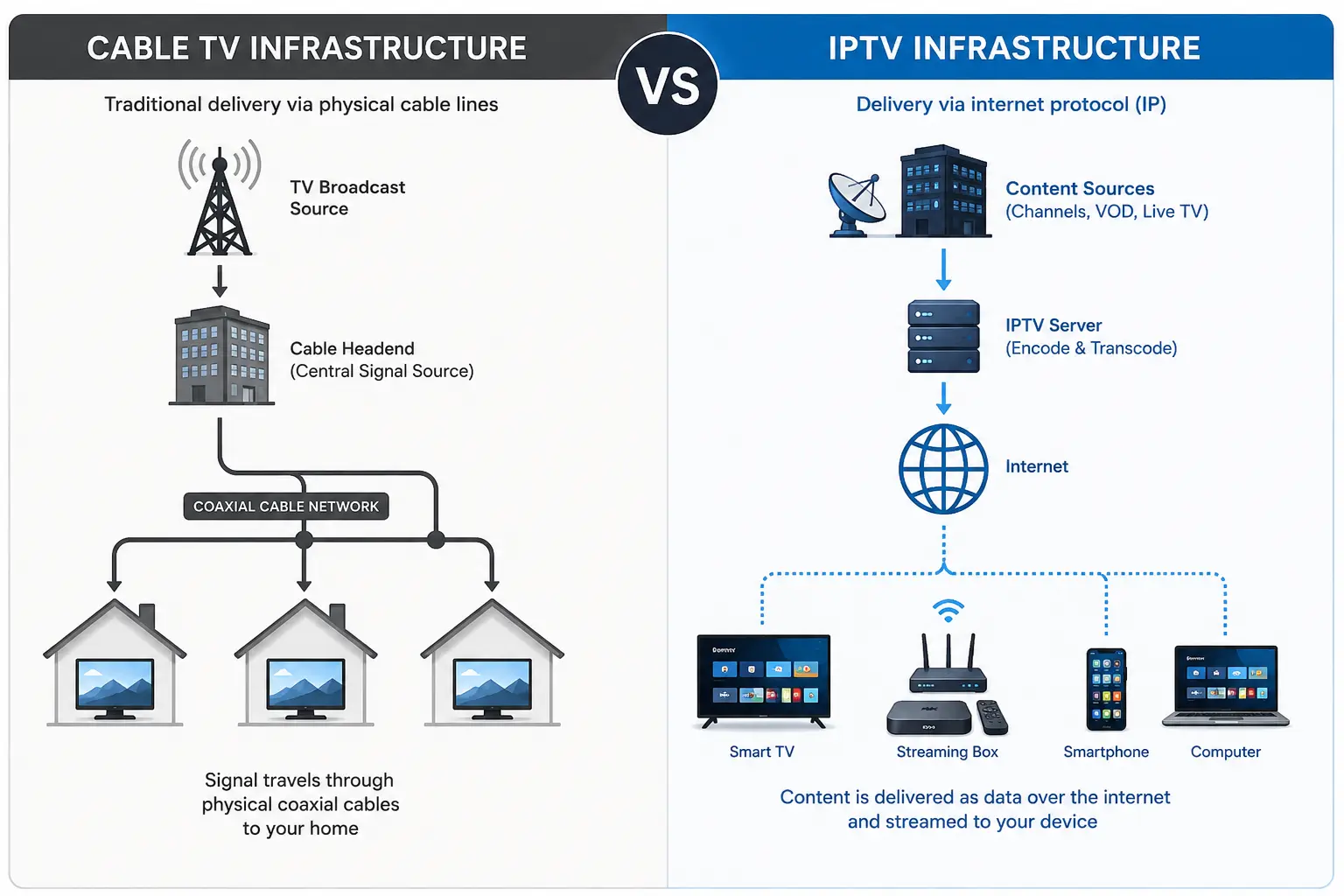
This concept isn’t unique to IPTV — traditional cable and satellite boxes have used EPGs for decades. What differs in IPTV is how that data gets sourced and delivered, since there’s no dedicated broadcast signal carrying schedule information alongside the video feed.
HOW AN EPG WORKS IN IPTV
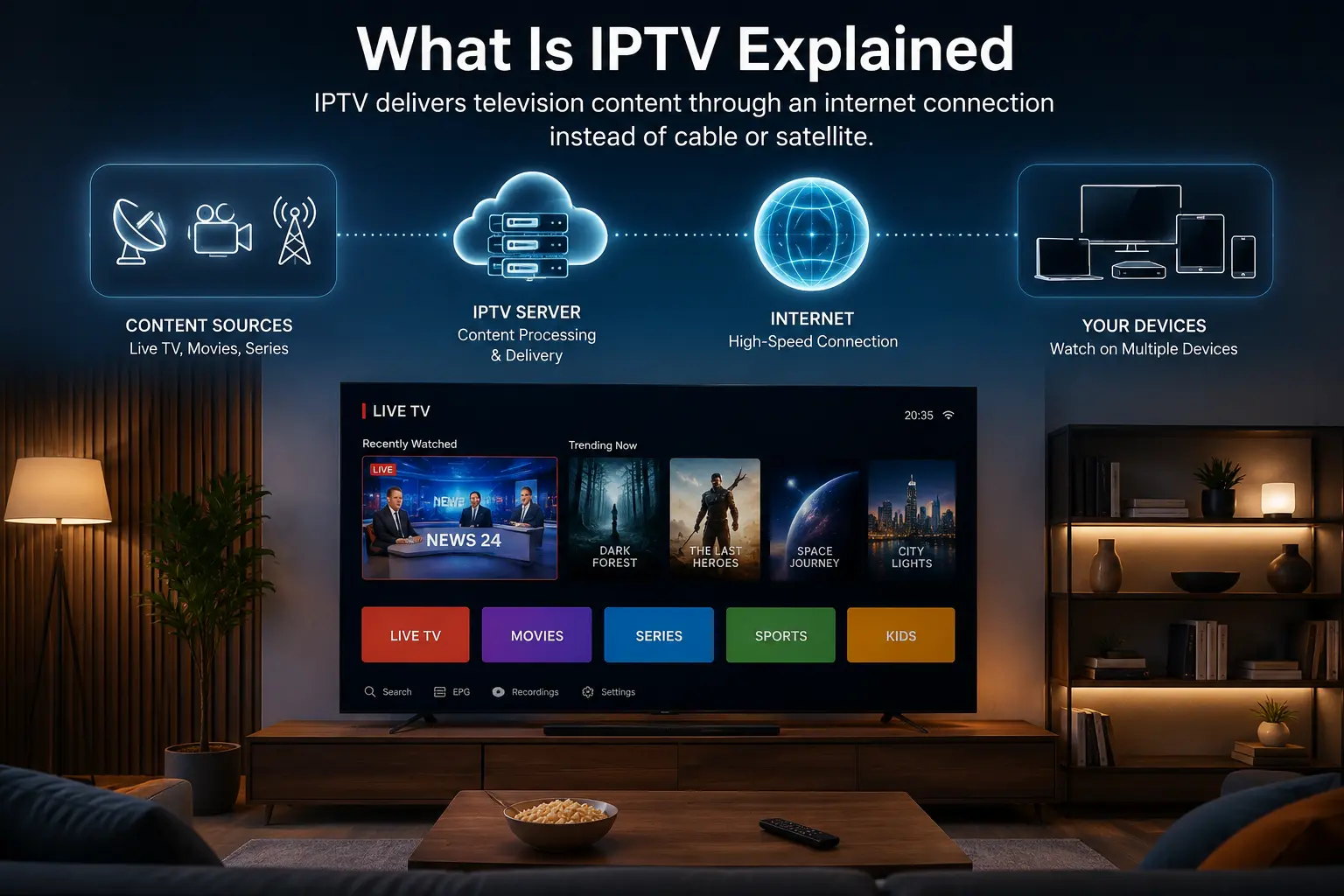
In traditional broadcast TV, program schedule data is often embedded directly in the broadcast signal itself. IPTV works differently, since it’s built on internet data delivery rather than a unified broadcast stream.
Instead, IPTV apps typically pull EPG data from a separate source — a schedule file or feed — and then match that schedule information to the corresponding channels loaded from the M3U playlist. This means two separate pieces of data have to align correctly: the channel list itself, and the schedule data describing what’s airing on each one.
When both pieces match correctly, the app displays a familiar guide-style interface. When they don’t align — often due to mismatched channel identifiers — the guide may show blank entries, incorrect programming, or no data at all for certain channels.
WHERE EPG DATA COMES FROM
EPG schedule data generally comes from one of a few sources, depending on the IPTV provider or app setup:
Provider-supplied EPG: Many IPTV services include their own EPG data source alongside the channel playlist, pre-matched to their specific channel lineup.
Third-party EPG sources: Some apps allow users to manually add an external EPG URL, separate from the channel provider, which the app then attempts to match against the loaded channels.
Manually configured guides: In some setups, users can build or edit channel-to-schedule mappings directly, though this is more common in advanced or self-hosted IPTV configurations. [REQUIRES VERIFICATION for specific app support]
The reliability of any EPG ultimately depends on how well-maintained and accurately mapped that data source is to the actual channel list being used.
XMLTV FORMAT EXPLAINED
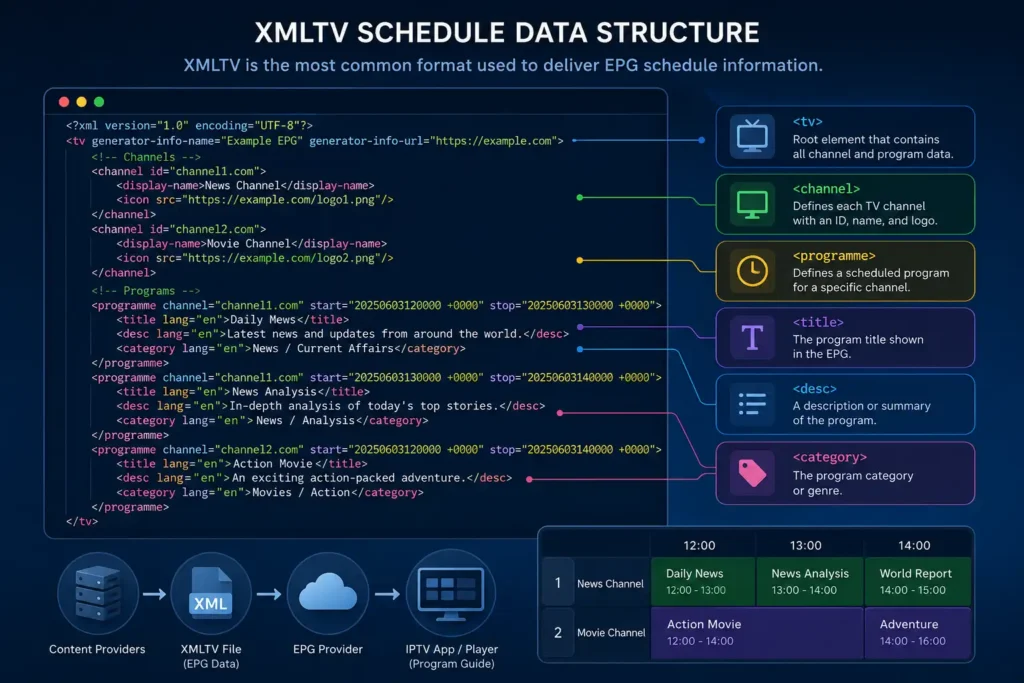
The most widely used format for delivering EPG data is XMLTV, a structured XML-based file format designed specifically for representing TV schedule information.
An XMLTV file generally includes:
A list of defined channels, each with a unique channel identifier
Program entries for each channel, including title, start time, end time, and often a short description
Metadata such as category or episode information, when available
IPTV apps read this XMLTV data and cross-reference each channel identifier against the channels loaded from the M3U playlist. When the identifiers match correctly, the schedule populates automatically for that channel.
HOW APPS MATCH EPG DATA TO CHANNELS
This matching process is where most EPG issues actually originate, so it’s worth understanding at a basic level.
Each channel in an M3U playlist can include a tvg-id attribute, a unique identifier meant to correspond with a matching channel ID in the XMLTV EPG file. When the app loads both files, it attempts to line up channels by this identifier.
If the tvg-id in the playlist doesn’t exactly match the channel ID used in the EPG source, the app has no way to know which schedule data belongs to which channel. This is the most common reason schedule information appears missing or incorrect for specific channels, even when the video stream itself works perfectly.
BENEFITS OF HAVING AN EPG
While channels will typically still play without an EPG, having one adds meaningful value to the viewing experience:
Immediate context for what’s currently airing, without needing to check outside the app.
The ability to browse upcoming programming, similar to a traditional cable guide.
Easier channel navigation, since users can scan by program name rather than just channel number.
A more familiar, TV-like interface for users transitioning from cable or satellite.
For live sports or scheduled programming in particular, an accurate EPG makes a noticeable difference in usability compared to a plain channel list with no context.
COMMON EPG PROBLEMS
A handful of recurring issues account for most EPG-related complaints:
Blank or missing schedule data: Usually caused by a channel ID mismatch between the playlist and the EPG source.
Incorrect program times: Can result from a timezone mismatch between the EPG source and the user’s device settings.
Outdated schedule information: Occurs when the EPG source isn’t refreshed frequently enough, or the app isn’t set to auto-update.
Some channels showing data while others don’t: Typically means only some channels have matching identifiers between the playlist and EPG file, rather than the entire system failing.
HOW TO FIX EPG DISPLAY ISSUES
If the program guide isn’t displaying correctly, a structured approach usually resolves the issue:
- Confirm the EPG source URL is correct and hasn’t changed, since an outdated link will fail to load any data.
- Check the device’s timezone settings, since incorrect local time settings can cause program times to appear shifted.
- Force a manual EPG refresh inside the app, if that option is available, rather than waiting for an automatic update.
- Restart the app completely, since some apps only reload EPG data on a full restart rather than a background refresh.
- Verify with the provider whether the EPG source is still active, if the issue persists after the steps above, since a server-side problem on the EPG feed would require action from the provider.
EPG VS PLAYLIST: WHAT EACH ONE DOES
It’s worth being clear about the distinction, since these two files are often confused:
The M3U playlist tells the app which channels exist and where to stream them from.
The EPG data tells the app what’s currently airing and what’s scheduled next on each of those channels.
Both pieces work together but come from separate data sources. A broken EPG will not affect whether channels play — it only affects whether schedule information displays correctly alongside them.
CONCLUSION
An EPG is what turns a basic list of streaming channels into a familiar, browsable TV guide. Understanding that it relies on a separate schedule data source — matched to channels through identifiers like tvg-id — makes it much easier to diagnose why a guide might be missing information for specific channels, even when playback itself works fine.
Most EPG issues come down to channel ID mismatches, timezone settings, or an outdated data source, all of which are usually fixable without needing to reinstall anything. For step-by-step setup guidance on specific IPTV apps and devices, the Kemo IPTV tutorials section covers the process in more detail.
FAQ
What does EPG stand for?
EPG stands for Electronic Program Guide, the on-screen schedule that shows what’s currently airing and what’s coming up next on each channel.
Why is my IPTV EPG not showing any data?
This is usually caused by a mismatch between the channel identifier in the playlist and the identifier used in the EPG source, which prevents the app from correctly matching schedule data to that channel.
Do I need an EPG for IPTV to work?
No. Channels will typically still stream and play without an EPG. The guide only adds schedule information and browsing convenience — it doesn’t affect whether the video content itself functions.
What format is EPG data usually delivered in?
Most IPTV apps use the XMLTV format, an XML-based structure designed specifically to represent channel schedules, program titles, and air times.
Why are my EPG program times wrong?
Incorrect program times are commonly caused by a timezone mismatch between the EPG data source and the device’s local time settings, rather than an issue with the schedule data itself.
Can I add my own EPG source to an IPTV app?
Many IPTV apps allow users to manually add an external EPG URL, though exact support varies by app.
Why do some channels have EPG data while others don’t?
This typically means only some channels have correctly matching identifiers between the playlist and the EPG source, rather than the entire guide system failing.
Is EPG data the same for every IPTV provider?
No. EPG accuracy and coverage depend on how well each provider maintains and matches their schedule data to their specific channel lineup, so quality can vary significantly between services.
How often does EPG data update?
This depends on the EPG source and how frequently the app refreshes it. Some update automatically at set intervals, while others may require a manual refresh inside the app.
Does a missing EPG mean my IPTV service is broken?
Not necessarily. A missing or incomplete EPG is a separate issue from channel playback and usually points to a schedule data or matching problem, not a failure of the streaming service itself.
“Kemo IPTV tutorials” → https://iptvsverige-4k.net/tutorials/ (used in conclusion, relevant for setup guidance)
“M3U playlists” → https://iptvsverige-4k.net/m3u-playlist-explained/ (natural link in “EPG vs Playlist: What Each One Does” section, since the two topics are directly related)
“what IPTV is and how it works” → https://iptvsverige-4k.net/what-is-iptv-how-it-works/ (optional, for readers needing foundational context)
Future article opportunities to strengthen this topic cluster:
IPTV Buffering: Causes and Fixes
How to Install IPTV on Fire TV Stick
Choosing an IPTV Service Responsibly
IPTV on Samsung Smart TV: Compatibility and Setup